Create a Challenge
Start from home by clicking the Pursuit Path Logo on the top left.
Then, click on the 'Challenges' menu item on the vertical menu on the left.
At the top right click on 'Add New Challenge'
The 'Add New Challenge' screen will appear
Challenge Name
The name for the challenge that is shown in the admin panel. You can put unique identifiers here that can useful when searching through challenges.

For Example 'Action' - Team Jump.
Name (in game)
If your challenge has a title, put it here. For example, 'Get Ready To Jump'.

You can make the 'Name (in game)' text bold so it stands out more.
Media Type
You can choose between an image or a video
Cover image - Preferred image ratio: 16: 9, resolution: 1920 × 1080 or 1280 × 720, Max Size: 2MB.
Video - Upload Video
Cover image - Preferred image ratio: 16: 9, resolution: 1920 × 1080 or 1280 × 720, Max Size: 2MB.
Video - Upload Video
1) Upload your video direclty into Pursuit Path Servers
2) Paste Youtube video link
Challenge text - Add the body of your challenge text here. For example.
"Gather your team together and snap a photo of your team jumping simultaneously. One team member may take the photo or ask an innocent bystander for help!"
Answer Details
Answer Type - Multiple Choice
- You can choose between 1 or multiple correct answers.
- You can add unlimited answer options.
Answer Type - All must be correct.
The user can select up to 7 options.
If you select this option the user must select exactly all the correct options to answer the challenge correctly.
E.g.
Challenge - Which 3 of the following are fruits.
1 - Orange (correct)
2 - Lego (wrong)
3 - Grape (correct)
4 - Brick (wrong)
5 - Apple (correct)
6 - House (wrong)
7 - Glass (wrong)
The user must select exactly option 1,3 and 5. Any other answer would be considered wrong by the platform.
Answer Type - At least x correct.
This allows you give the user a chance get 1 or more options wrong but still get the overall challenge correct.
E.g.
Answer Type - At least 2 correct.
Challenge - Which 3 of the following are fruits. You just get at least 2 correct.
1 - Orange (correct)
2 - Lego (wrong)
3 - Grape (correct)
4 - Brick (wrong)
5 - Apple (correct)
6 - House (wrong)
7 - Glass (wrong)
There are 3 correct answers so the user can select up to 3 answers, 2 of which must be correct to get the overall challenge correct.
Answer Type - Free Text
E.g. What colour is the sky?
Correct answer 'Blue'
This is a rather ambigoius challenge so you can the 'text match' to allow for a broad or narrow range of correct answers.
Contains
As long as the answer contains 'blue' the challenge is considered correct. All other text is ignored.
E.g. Answer 'The sky is blue or sometimes red'. Thi answer contains the word 'blue' so is considered correct.
Does not contain
As long as the answer does not contain the word in this text field, it will be considered correct.
E.g. Does not contain 'red'.
'The sky is blue'. The answer does not contain the word red, so is consider correct.

Use carefully. The user could literally answer 'I tied my shoelaces' and becuase it does not contain red would be considered correct.
Exact Match
Correct Answer: 'Blue'
The user can ONLY type blue or Blue (not case sensative). Answer other answer including an extra 'space' or 'fullstop' is considered wrong.
Answer Type - Upload file
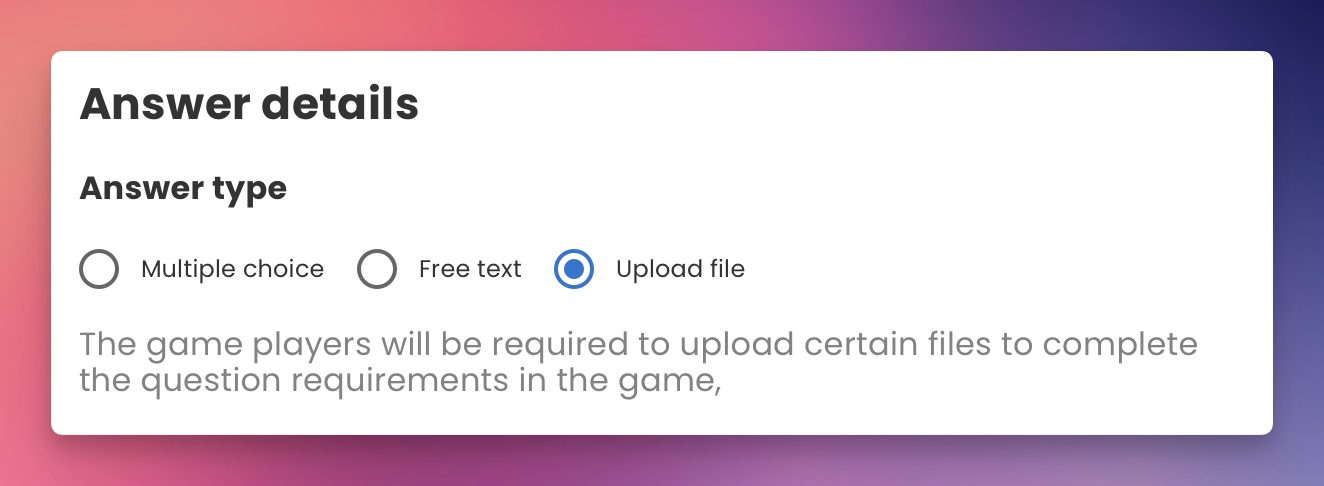
This promts the user to upload a video or photo. All uploads are considered 'correct' by they system and will qualify for the points allocated to the challenge. There is no wrong answer.
Challenge Settings
Maximum attempts
Allows the user to try again for 'x' attempts if they get the answer wrong.
Force Correct
The user can not continue until they get the answer correct. Think 'unlimited attempts'
Non Scoring
Used normally for infomration challanges, no ponts will be added or lost for correct or incorrect ansewrs. Often used with multiple choice answer type and only 1 answer option.
Skipping Allowed
Adds a skip button to the user screen for this challenge. Skipping does not add or take away points.
Correct / Wrong answer text
Custom text shown after that challenge once the user presses submit
Specify timeout
Adds a timeout couter shown on the user screen and custom text if the user timesout the challenge, such as 'Times up!'
Correct / Wrong Points
The score given to the user for answering this challenge. Shown overlaid on the image. Added to their total score.
Related Articles
Create a Game
Start from home by clicking the Pursuit Path Logo on the top left. Then, click on the 'Games' menu item on the vertical menu on the left. At the top right click on 'Add New Game' The 'Add New Game' screen will appear Title (for admin) The name for ...Quick Start Guide
This guide will help you quickly get started with creating challenges, games, and events using Pursuit Pt 1. Creating a Challenge Navigate to Challenges: Start from the home screen by clicking the Pursuit Path logo at the top left. Click on the ...Create an Event
Start from home by clicking the Pursuit Path Logo on the top left. Then, click on the 'Events' menu item on the vertical menu on the left. At the top right click on 'Add New Event' The 'Add New Event' screen will appear Event Design Select either an ...What is a team passcode? Do my participants need them?
What is the difference between a password and a team passcode? A password is a password that allows a user to log in onto the admin panel and change the details of the challenges, games and events. While a passcode is like a password for joining a ...How many device can join a team?
Is there a limit on the number of devices that can join a team? There are no limitations to the number of devices that can connect to a team Is there a recommended number of participants/devices that should join a team? It is strongly recommended ...